Introducing squirrelscan Cloud
The CLI stays free and local. Log in and the cloud adds rendering, AI analysis, tech detection, and shareable reports.
 Nik Cubrilovic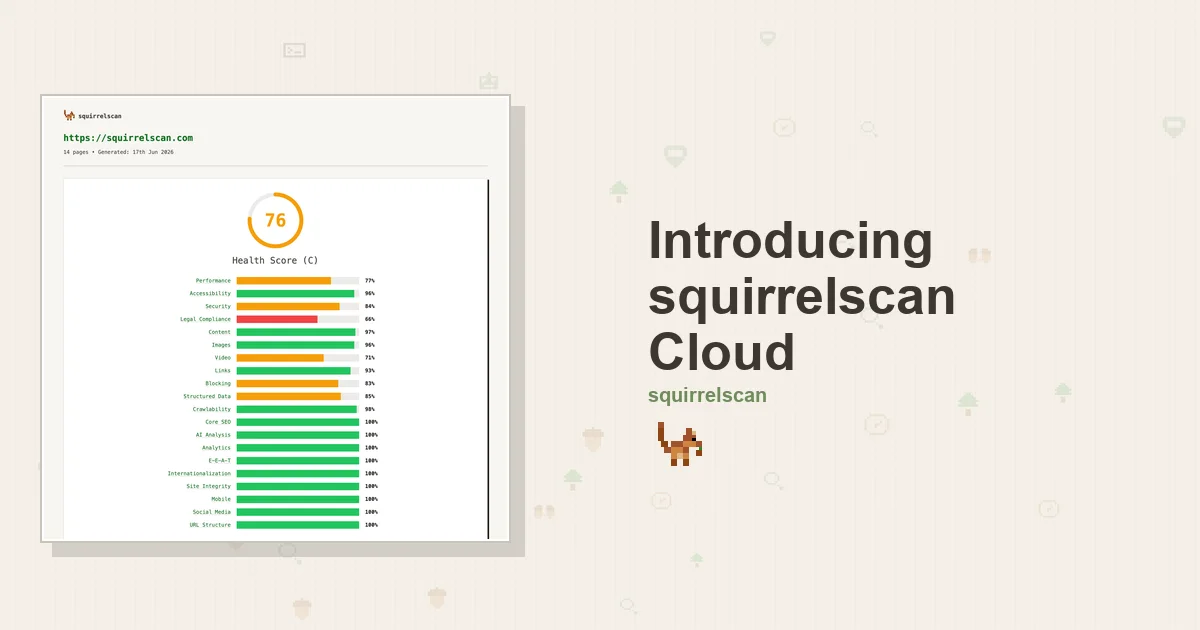
The squirrelscan CLI has always run a full audit locally: 260+ rules across 21 categories, zero dependencies, completely free. That doesn't change. What's new is what happens when you log in: squirrelscan Cloud turns each run into a richer, shareable audit (see an example report).
What the cloud adds
- Browser rendering: audit JavaScript-heavy sites and SPAs with a real headless browser, so client-rendered content gets scored like everything else.
- AI page analysis: LLM parsability scoring and E-E-A-T authority signals on the pages that matter.
- Technology detection: 385 fingerprints across CMS, frameworks, CDNs, analytics, payments, and security.
- Site profile: type, audience, identity, socials, and domain age, used to keep rules relevant to the site you're auditing.
- Editor's summary: a Claude-written exec summary with the big-ticket items and deltas since your last run.
- Dead-link checking: external links verified against a shared global cache.
- Publish & share: every run can auto-publish to your dashboard at reports.squirrelscan.com, with score history over time.
- Scheduled audits: daily, weekly, or monthly runs from the dashboard (Pro).
Credits, simply
Cloud features run on credits, and pricing is flat: 50 credits per audit, plus 2 per rendered page. A 50-page rendered audit is 150 credits, an HTTP-only audit is just the base 50, and failed audits are refunded automatically. Every account gets 500 free credits a month, no card required. Pro is $19/mo for 3,000 credits, and Pro accounts can top up any time ($10 minimum, 100 credits per dollar, and top-up credits never expire). You stay in control with a per-audit cap and a confirmation threshold.
Four ways to run it
squirrelscan now meets you wherever you work: the CLI, inside your coding agent, the cloud, and a local MCP server. Same audit engine, same report, four front doors.
squirrel auth login
squirrel audit yoursite.com
That's it. The cloud features light up automatically.