The Nut House sells nuts on the internet. Roasted almonds mostly, plus cashews and a walnut selection box that outsells everything else in December. The stack is Next.js on the App Router, the catalogue runs to roughly forty pages, and for two months the best category page on it had been drifting downward. Fourth, then seventh, then ninth, and then an impressions chart flat enough that I went looking for a broken tracking script.
I had three guesses about why and no way to tell which was right without four browser tabs and a lot of reading numbers out loud to myself. All of it was already exposed through one API or another. What I did not have was anything holding all of it in the same place at the same time.
OpenClaw turned out to be a reasonable place to hold it.
What OpenClaw is, roughly
OpenClaw is an open-source assistant that runs on your own machine. The piece that matters architecturally is the Gateway: a local control plane that owns sessions, tools and connections, with a CLI, a terminal interface and a browser-based Control UI all talking to it. It bridges into messaging apps too, so the same assistant is reachable from Slack, Discord, Telegram, WhatsApp and iMessage, which is how you end up approving a credit spend from your phone.
Two facts matter more than the feature list. The LICENSE is MIT, copyright the OpenClaw Foundation, and the project states plainly that it has no paid tier, hosted service or token. The Foundation is a registered 501(c)(3), and OpenAI appears on its donor list alongside Microsoft and NVIDIA rather than anywhere on the ownership side. Your state, memory and credentials stay on your hardware.
It is also not tied to one model. Providers are plugins covering OpenAI, Anthropic, Google, OpenRouter, xAI and a long tail of others, plus anything reachable over a custom base URL, which is how Ollama, vLLM and LM Studio fit. It can also drive other agent harnesses as runtimes, so a Codex or Claude Code setup you already have does not go to waste.
Install is a shell script:
curl -fsSL https://openclaw.ai/install.sh | bashIf you would rather manage Node yourself, the package is on npm. Note the version floor, because it is higher than most machines are running: Node 24.16 or later, or Node 26.1 or later, with 26 recommended.
npm install -g openclaw@latest --allow-scripts=openclaw
openclaw onboard --install-daemon
Onboarding checks model access, creates the workspace and configures the Gateway. After that openclaw gateway status tells you it is alive and openclaw dashboard opens the Control UI.
Configuration lives at ~/.openclaw/openclaw.json. It is JSON5, so comments and trailing commas are legal, which is a small kindness. Secrets belong next to it in ~/.openclaw/.env and get referenced from config with ${VAR_NAME}.
One thing before you wire anything in. OpenClaw has its own skills system, separate from MCP and not a replacement for it. A skill is a directory with a SKILL.md file of markdown instructions, and community skills are shared through ClawHub. Skills teach the agent how and when to reach for a tool. MCP is what supplies the tool in the first place. You want both, and the useful split is that the three servers below give the agent capability, while a skill is where you write down your own house rules about which page is worth an afternoon.
How good is OpenClaw's MCP support, really
Worth answering honestly before you commit a weekend, because the answer has a date attached.
Outbound MCP is first class now. OpenClaw stores server definitions under mcp.servers, supports stdio alongside remote HTTP and SSE, discovers tools from each configured server, and materialises them as agent tools. The CLI surface is unusually complete: list, show, status, doctor, probe, add, set, configure, tools, login, logout, reload and unset. Most agents give you an edit-the-file-and-pray workflow. This one gives you a debugger.
Two caveats, both real.
The first is the version floor. Remote HTTP and SSE support for URL-based mcp.servers entries landed in v2026.3.31. Before that, OpenClaw skipped URL entries at startup with a message saying only stdio MCP servers were supported right now, which is a bug report a number of people filed against a config that was perfectly correct. squirrelscan's hosted server is remote streamable HTTP, so if your entry is being ignored, check openclaw --version before you check your JSON.
The second is subtler. OpenClaw is a client-side registry, and the docs describe it as projecting those servers into eligible runtimes. When a session runs on OpenClaw's own embedded runtime, the tools are served in process and everything below works as written. Point a session at a native harness instead, such as the Codex app-server, and OpenClaw hands that harness its own native mcp_servers config while the harness owns the tool loop. There is even a per-server codex block for scoping a server to that path, which OpenClaw strips before the handoff. It works, but the servers arrive translated rather than shared, and the options that survive are the ones that harness understands. If a tool filter does not seem to apply, check which runtime is answering before you blame the filter.
For the general background on MCP and which SEO servers exist, the SEO MCP server roundup covers it, and this page assumes it.
The config key that trips people up
OpenClaw does not use a flat mcpServers block. This cost me ten minutes. Servers live under mcp, then servers, nested two deep, so every snippet you have copied out of another agent's README needs re-nesting before it will load. Plenty of third-party tutorials get this wrong and tell you to paste a flat block, and a flat block is simply not read.
A local server over stdio, once it is in the right place:
{
  mcp: {
    servers: {
      fetch: {
        command: "uvx",
        args: ["mcp-server-fetch"],
      },
    },
  },
}
A remote one uses url, with transport choosing between streamable-http and sse, the two remote transports in the Model Context Protocol spec:
{
  mcp: {
    servers: {
      docs: {
        url: "https://mcp.example.com/mcp",
        transport: "streamable-http",
        connectionTimeoutMs: 5000,
        requestTimeoutMs: 20000,
        headers: {
          Authorization: "Bearer ${MCP_REMOTE_TOKEN}",
        },
      },
    },
  },
}
If the server speaks OAuth, drop the headers and set auth: "oauth" instead, then run openclaw mcp login <name> once. This is the trap worth reading twice, and it is stated outright in the transport docs: a static Authorization header is ignored for a server while auth: "oauth" is enabled. Setting both does not give you a fallback. It quietly gives you the OAuth path, and your bearer token sits there looking load-bearing while doing nothing. Pick one per entry.
You do not have to hand-edit any of this. The CLI writes the same block and probes the server before saving it, unless you pass --no-probe:
openclaw mcp add squirrelscan \
  --url https://mcp.squirrelscan.com/mcp \
  --transport streamable-http \
  --auth oauth
openclaw mcp login squirrelscan
Two more keys matter. toolFilter.include and toolFilter.exclude cut down what a chatty server contributes to the context window, taking exact tool names or simple * globs. And enabled: false parks a server without deleting it.
Good news on the edit-then-what question: the Gateway watches the config file and applies changes automatically. The default reload mode is hybrid, which hot-applies what is safe to hot-apply and restarts itself when a change needs it, and MCP edits retire only the connections that actually changed, so an unrelated server keeps its transport and its cached tool catalogue. You can set gateway.reload.mode to off if you would rather control that yourself.
Server one: squirrelscan, for what is actually broken
This is the half of the stack I reach for first, because no keyword tool is ever going to tell you that your best product page forgot its canonical tag.
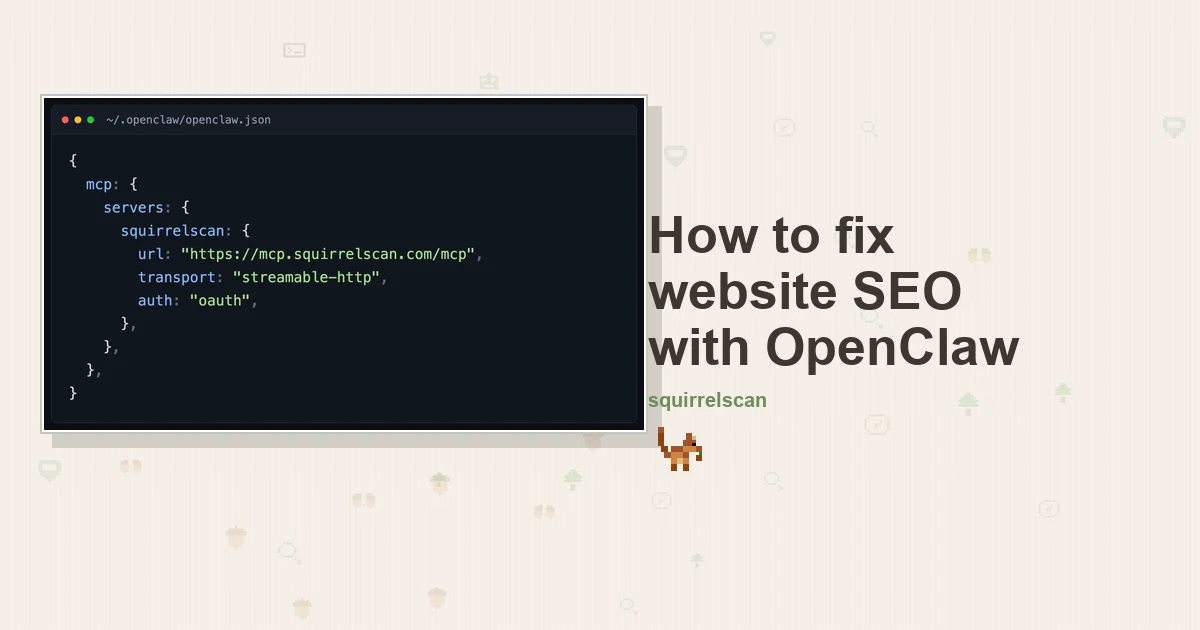
squirrelscan runs a hosted MCP server over streamable HTTP, so there is nothing to install and nothing to keep running. One entry:
{
  mcp: {
    servers: {
      squirrelscan: {
        url: "https://mcp.squirrelscan.com/mcp",
        transport: "streamable-http",
        auth: "oauth",
      },
    },
  },
}
Then openclaw mcp login squirrelscan, approve in the browser, pick the organization the agent acts for, and the tools are live. On a headless box where no browser flow is going to happen, swap the OAuth line for a bearer header:
{
  mcp: {
    servers: {
      squirrelscan: {
        url: "https://mcp.squirrelscan.com/mcp",
        transport: "streamable-http",
        headers: {
          Authorization: "Bearer ${SQUIRRELSCAN_API_KEY}",
        },
      },
    },
  },
}
Generate the key with squirrel keys create --shell. It offers to write the export line straight into your shell rc, so the secret never has to sit in a file you might commit by accident. Put it in ~/.openclaw/.env and the ${SQUIRRELSCAN_API_KEY} reference resolves at load.
Connected, OpenClaw gets twenty tools. Three of them carry the loop: run_audit starts a crawl, get_audit_status polls it, and get_report returns the finished thing as summary JSON, compact text sized for a model, or full markdown. run_audit takes max_pages, and max_pages: 1 audits only the URL you handed it, which is how you verify a single fix cheaply. Around that, list_issues and get_issue work a per-website tracker that persists across runs, comment_on_issue records what changed, and list_rules and get_rule let the agent look up why a check failed instead of inventing a reason. Call whoami first: it reports the organization and the credit balance before anything spends.
The audit itself runs 300+ rules across 21 categories. Alongside the SEO checks you would expect, it covers performance, security headers, the part of accessibility a machine can genuinely judge, and agent experience, meaning whether an AI crawler can read the page at all.
Spending is gated. A run_audit call whose estimate lands above the auto-run threshold comes back as confirmation_required with the estimate attached instead of starting, and the agent has to call again with confirm: true. That gate matters more here than in a terminal-only agent, because OpenClaw might be answering from a Telegram thread at the time.
If you would rather not spend credits at all, run the CLI signed out or with --offline: it is free and needs no account:
curl -fsSL https://install.squirrelscan.com | bash
squirrel audit https://thenuthouse.example --offline --format llm
OpenClaw can shell out to that whenever you like. --format llm is the flag that matters: it emits a compact structured report instead of the console one built for human eyes.
Server two: DataForSEO, and the version that changed underneath you
DataForSEO is where the keyword numbers live: volume, cost per click, competition, difficulty. There is an official MCP server for it, and that server was rewritten over the summer.
What makes the rewrite a trap is that version 3 shipped under the same npm package name. If your config says @latest, the tool surface underneath you moved from roughly forty typed tools to four generic ones:
{
  mcp: {
    servers: {
      dataforseo: {
        command: "npx",
        args: ["-y", "dataforseo-mcp-server"],
        env: {
          DATAFORSEO_LOGIN: "${DATAFORSEO_LOGIN}",
          DATAFORSEO_PASSWORD: "${DATAFORSEO_PASSWORD}",
        },
      },
    },
  },
}
Those four are docs_index, docs_list_sections, docs_search and api_request. The model browses DataForSEO's own documentation, finds the endpoint it needs, and calls it through api_request. The server never goes stale against new endpoints, which is the point, but expect an extra round trip while the model reads. If a tutorial tells you to set ENABLED_MODULES, it was written against the previous server, and version 3 ignores the variable entirely. The typed tools still exist in a deprecated repository if you want them, at the cost of pinning yourself to something the vendor has stopped maintaining.
There is a hosted endpoint if you would rather not run a local process at all:
{
  mcp: {
    servers: {
      dataforseo: {
        url: "https://mcp.dataforseo.com/v3/mcp",
        transport: "streamable-http",
      },
    },
  },
}
This is the one part of the stack with a real bill. The server is free and open source, but the data behind it is not. DataForSEO is pay as you go with no subscription, a new account gets $1 of live credit, and the minimum top-up is $50. For a shop this size $50 goes a long way, but there is no free tier to sit on.
Server three: Search Console, with no official option
There is no Google-built MCP server for Search Console. It publishes a long list of managed servers covering BigQuery, Cloud Run, Firestore, Drive and Gmail, and it publishes one for Google Analytics, which makes the gap conspicuous. It is still a gap, so this slot is community code wrapping the public Search Console API, and you should pick it knowing that.
I went with AminForou/mcp-gsc, which is built specifically for SEO work, is MIT licensed, carries about 1,500 stars, and had a commit two days before I wrote this:
{
  mcp: {
    servers: {
      search_console: {
        command: "uvx",
        args: ["mcp-search-console"],
        env: {
          GSC_CREDENTIALS_PATH: "/Users/you/.config/gsc-service-account.json",
          GSC_SKIP_OAUTH: "true",
        },
        toolFilter: {
          include: ["get_search_analytics", "list_properties", "inspect_url_enhanced"],
        },
      },
    },
  },
}
GSC_CREDENTIALS_PATH wants an absolute path and is always required when you run it through uvx. GSC_SKIP_OAUTH forces service account auth and skips the browser flow, which is what you want on a box running a daemon.
Now the part that will eat an hour if nobody warns you, and it applies to any stdio server, not just this one. OpenClaw filters the env block of a stdio server through a host safety denylist before spawning the process. That is the fix for CVE-2026-44995, where a malicious workspace could pass process-startup variables such as NODE_OPTIONS, LD_PRELOAD or BASH_ENV to an MCP child and get arbitrary code loaded. Sensible fix, and it means a handful of variables you set in an env block never arrive. The documented workaround is to set a blocked variable on the Gateway host process instead of under the server.
Pulling the other way, the MCP SDK's stdio transport deliberately restricts what a spawned server inherits from its parent, down to a handful of variables such as HOME, PATH, SHELL and USER. So ordinary credential variables have to be named explicitly in the env block, as above, and will not simply be picked up from your shell. Between the denylist above and the inheritance floor below, the rule of thumb is: name ordinary variables in the server entry, and move anything the denylist rejects up to the Gateway.
Two commands make this diagnosable rather than mysterious. openclaw mcp doctor search_console validates a saved definition without connecting, and openclaw mcp probe search_console connects and lists what it actually got. Run both before you conclude anything is broken.
The credential setup itself is the same wherever you land. Create or pick a Google Cloud project, enable the Search Console API, create a service account and download its JSON key, then in Search Console open Settings, then Users and permissions, and add the service account's .iam.gserviceaccount.com address with full access. Reading performance data and running URL inspections both sit inside full access. Owner is only required for the Indexing API, and anything narrower than full will refuse sitemap submission. The toolFilter above is how you keep the write-capable tools out of the agent's reach while you decide whether you trust it with them.
If this one stops being maintained, ahonn/mcp-server-gsc is the older incumbent with a simpler surface. And if you want no community code in the auth path at all, Google's own bulk export pushes Search Console data into BigQuery daily, which escapes the API's row limits and sixteen-month window at the cost of a BigQuery bill.
The loop, on one almond page
Back to the sliding category page. The reason all three servers go in one config is that the agent can cross between them without me relaying numbers.
Audit the site. "Audit thenuthouse.example and show me the worst pages." OpenClaw calls run_audit, shows me the credit estimate, polls get_audit_status, and reads the report back. Thirty-eight pages, health score 61. Three findings clustered on the almond section: twelve variant URLs under /nuts/roasted-almonds all serving one title, no canonical on any of them, and a category description on /nuts/almonds running to about forty words.
Pick a page worth the afternoon. This is where an audit on its own will mislead you. Every site has a hundred failing checks on pages nobody will ever visit. Ask for the failing pages first, then ask which of them have search demand behind them.
Check the keyword. OpenClaw goes to DataForSEO, reads the docs for the endpoint it wants, and pulls volume, cost per click and difficulty for the phrase the page targets. "roasted almonds bulk" carried enough volume to be worth an afternoon. The walnut selection box failed just as many checks and returned almost no demand behind them, which dropped it to the bottom of the queue.
Check what Google already thinks. Only the Search Console server can answer what comes next: is this page already ranking, and for what? /nuts/roasted-almonds hovered at roughly position 14, quietly gathering impressions for "bulk roasted almonds 1kg", a phrase the page used nowhere in its title and nowhere in its copy. That is a different fix from the one the audit proposed, and a better one.
Fix it in the Next.js code. OpenClaw has the repository open, and in the App Router all three findings live in the same file. generateMetadata in app/nuts/[slug]/page.tsx gets alternates.canonical so the variants stop competing, and a title that carries the weight so twelve pages stop sharing one string:
export async function generateMetadata({ params, searchParams }: Props): Promise<Metadata> {
  const product = await getProduct(params.slug);
  const size = typeof searchParams.size === "string" ? searchParams.size : null;

  return {
    title: size
      ? `${product.name}, ${size} bag | The Nut House`
      : `${product.name} | The Nut House`,
    alternates: { canonical: `https://thenuthouse.example/nuts/${params.slug}` },
  };
}
The same route gets a Product JSON-LD block with price and availability, and the forty-word category description gets rewritten around the phrase Search Console said people were actually typing.
Re-audit the one page. run_audit with max_pages: 1 against the URL you just changed: That is 52 credits and roughly a minute, and it answers plainly whether the change worked. Then comment_on_issue, so the tracker records what happened, which matters more than it sounds once you are doing this across a few dozen pages over a few weeks.
What each piece costs
Adding it up is simple. OpenClaw runs on your own hardware for nothing, and the local squirrel CLI is free too when it runs signed out. The Search Console API does not charge for queries, so that slot costs nothing either. squirrelscan charges 50 credits per cloud audit plus 2 for every audited page, set against 500 free credits each month, which means the thirty-eight-page run above plus a handful of single-page re-checks still fits inside the free grant. The pricing page covers what happens once you outgrow it. That leaves DataForSEO's $50 floor as the only figure you cannot design around.
The one thing I will not pretend is that any of this is automatic. The agent is good at gathering four kinds of data and putting them in one place. It is not good at deciding which page deserves your afternoon, and the squirrel is not going to tell you either, whatever the lobster on the other side of the config file says. That judgment is still yours. What changes is that you make it with everything in front of you, in the session where the code is already open.
The same three servers go into Hermes as YAML and into ChatGPT and Codex through codex mcp add, and the OpenClaw setup page has the connect commands on their own.